Why You Need a Cheap Ethernet Cable Tester
Ever wanted your own Ethernet Cable Tester. Whether you are crimping your own RJ45 connectors or just trying to figure out why your internet is dropping out in the home office, there is one tool that saves hours of frustration: the Ethernet Cable Tester.
In this guide, I’m looking at a budget-friendly unit I picked up for a few pounds £££. It’s a simple “clone” device often found on eBay or Amazon, but as I’ve found while wiring up my home network, it’s an absolute bargain that does the job perfectly.
Watch the Full Video
What Does an Ethernet Cable Tester Do?
At its core, this tool tests two critical things:
- Continuity: It ensures there are no physical breaks in any of the eight small copper wires inside your Ethernet cable.
- Termination Order: It verifies that the wires are in the correct order at both ends (e.g., ensuring you haven’t accidentally crossed a wire when crimping an RJ45 plug).

Key Features of This Budget Unit
Despite the low price point, this tester is surprisingly versatile:
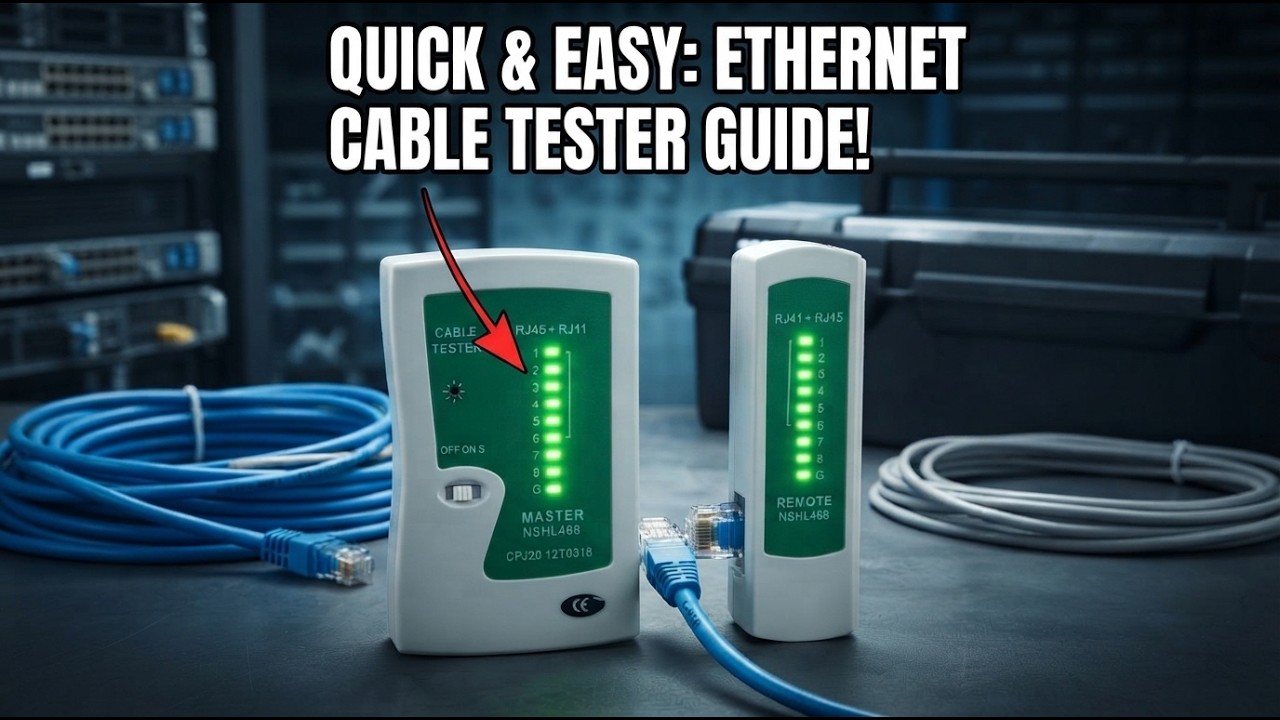
- Dual-End Testing: The unit slides apart into two pieces. You can plug the master unit into a wall socket in one room and take the remote unit to another room to test long cable runs through walls.
- RJ45 & RJ11 Support: While mostly used for Ethernet (RJ45), it also features ports for testing telephone cables (RJ11).
- LED Indicators: It features 8 numbered LEDs (plus a ‘G’ for ground) that light up in sequence to show you exactly which wire is working—or which one is failing.
- 9V Battery Powered: It runs on a standard 9V battery, making it completely portable for working in lofts or crawl spaces.
How To Read Ethernet Cable Tester Results
| Master Unit LED | Remote Unit LED | Diagnostic Result | What to Do |
| 1 through 8 | 1 through 8 | ✅ Pass | Cable is perfect. No further action needed. |
| 1 through 8 | One LED is dark | ❌ Open Circuit | A wire is broken or a pin isn’t crimped properly. Re-crimp the ends. |
| 1-2-4-3-5… | 1-2-3-4-5… | ⚠️ Mis-wired | Wires are crossed (e.g., green and orange swapped). Cut and re-terminate. |
| 1 through 8 | All LEDs dark | 🔋 No Power | Check the 9V battery in the tester or the cable is completely severed. |
| 8 (G) stays off | 8 (G) stays off | ℹ️ Unshielded | Normal for UTP cables. Only lights up for shielded (STP) cables. |
How to Test Your Cables (Step-by-Step)
Testing a patch lead or a long run is straightforward:
- Plug in the Cable: Insert one end of your RJ45 cable into the master unit and the other into the remote unit.
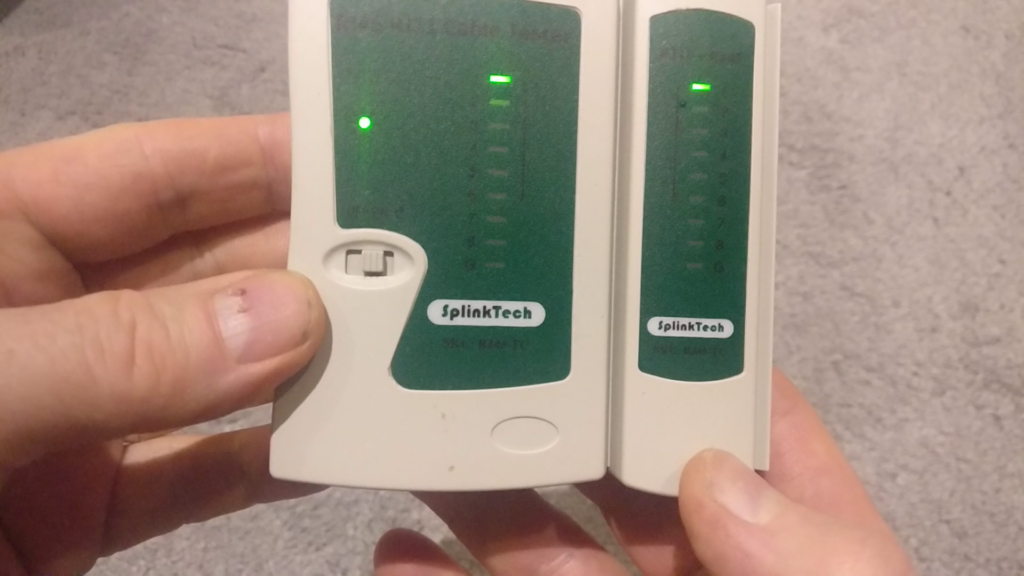
- Switch it On: The unit will begin cycling through the numbers 1 to 8.
- Watch the Lights: You are looking for parallel green lights . If the master unit flashes ‘3’ and the remote unit also flashes ‘3’, that wire is healthy.
- Identify Failures: If a light doesn’t skip a beat on one side, you have a break. If the lights flash out of sequence (e.g., 1-2-4-3), you’ve crossed your wires during termination.
Why Every DIYer Needs One
If you are building a local area network (LAN), this tool is essential. I’ve used mine extensively while putting networking around the house. For a small cost, it eliminates the guesswork and tells you immediately if your hardware is the problem or if it’s just a bad cable.
Watch the full video for how to use an Ethernet Cable Tester
Pro Tip Make sure you take a look at ethernet cable standards guide to see how fast your ethernet cables can carry data. Or, look at our recommended Internet Speed Tester to see how fast your network is performing.
Ethernet Cable Tester Frequently Asked Questions (FAQ)
What is the difference between a cheap and an expensive Ethernet tester?
Budget testers (like the one in this guide) are continuity testers; they simply check if an electrical signal can travel from one end to the other. Expensive professional testers (like Fluke) are certifiers; they measure cross-talk, signal-to-noise ratios, and actual data throughput speeds. For home DIY and basic troubleshooting, a cheap continuity tester is usually all you need.
Can I test a cable that is already plugged into my router or switch?
No. Both ends of the Ethernet cable must be unplugged from your networking gear and plugged directly into the Master and Remote units of the tester. Plugging a tester into a live “active” port—especially a PoE (Power over Ethernet) port—can permanently damage the tester’s circuitry.
Why does the ‘G’ (Ground) light not stay on?
The ‘G’ light stands for Ground/Shielding. If you are using standard UTP (Unshielded Twisted Pair) cable, which is the most common for home use, the ‘G’ light will not illuminate. It will only light up if you are testing STP (Shielded Twisted Pair) cables, which have a metal foil wrap and a metal-shielded RJ45 connector.
How do I test an Ethernet cable that is run through a wall?
This is where the “slide-apart” design is a lifesaver. Plug the Master unit into the wall socket in Room A, and take the smaller Remote unit to the wall socket in Room B. Switch the Master unit to “On” (or “S” for slow mode), and you can verify the entire cable run through the house solo.
My tester shows the lights are in the right order, but I still have no internet. Why?
A continuity tester only proves the wires are connected. It cannot detect interference, a kinked cable that slows down data, or a failing network card in your PC. If the cable passes the test, your next step should be a Continuous Ping Test
to check for data packet loss.
What battery does an Ethernet cable tester use?
Almost all budget Ethernet testers require a single 9V battery. I recommend using a high-quality alkaline battery, as these testers can give “false fail” readings (dim or skipping lights) if the battery voltage drops too low.
Budget vs Pro Ethernet Cable Tester
| Feature | Budget Continuity Tester (£5–£15) | Professional Certifier (£150–£1,000+) |
| Primary Use | Home DIY & Basic Repair | Commercial Networking & Data Centres |
| Checks Connectivity | ✅ Yes | ✅ Yes |
| Identifies Cross-talk | ❌ No | ✅ Yes |
| Measures Cable Length | ❌ No | ✅ Yes (via TDR Technology) |
| Speed Certification | ❌ No | ✅ Yes (Tests Cat6/6a/8 speeds) |
| PoE Voltage Testing | ⚠️ Risky (Can damage unit) | ✅ Yes (Safe & Detailed) |
| Solo Testing | ✅ Yes (Removable remote unit) | ✅ Yes (Digital remote ID) |
For 99% of home office setups, the budget continuity tester is all you need to find a broken wire. Save the £150+ for a better router!
Subscribe Now!
If you found this Ethernet Cable Tester guide helpful and are ready to stop guessing and start troubleshooting your own tech plus smart DIY, head over to the Built By Pete YouTube channel! We’ve got hundreds of other DIY projects and smart home tutorials. Click here to subscribe and hit the notification bell so you never miss out on the tips, tricks, and step-by-step guides that will simplify your tech life.