Ancel BM200 Review: The Best Budget Wireless Battery Monitor?
Why you need a Wireless Battery Monitor. Knowing the health of your vehicle’s battery is critical, but constantly checking the voltage with a multimeter is inconvenient. The solution? A wireless Bluetooth battery monitor that gives you real-time data right on your phone.
In this full guide, we walk you through the installation and setup of a great, budget-friendly option: the Ancel BM200 Wireless Battery Monitor.
Watch Setup & Video Guide
What is the Ancel BM200 Wireless Battery Monitor?
The BM200 is a compact, affordable wireless battery monitor device designed to give you remote access to your battery data via Bluetooth. At a budget price (around £29), it offers a surprising number of features that were once only available in much more expensive equipment.
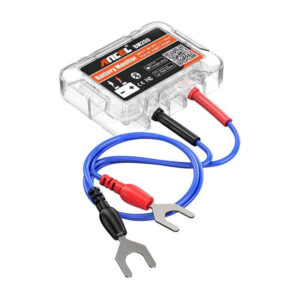
This wireless battery monitor is versatile and can be used on any lead-acid or lithium battery from 6 volts up to 20 volts. This makes it ideal for:
- Cars and Trucks
- RVs and Caravans
- Boats
- Motorcycles
What the BM200 Wireless Battery Monitor Measures:
The device provides essential data on:
- Voltage and Power
- State of Charge (SOC)
- Temperature
- Cranking Test Results
- Charging Test Results
Battery Drain
I measured the standby current at roughly 1.2mA. To put that in context, your cars remote central locking system likely draws significantly more than that.
1. Quick Installation: Connecting the Device
The physical installation of the wireless battery monitor is straightforward and requires only a spanner or socket to loosen your battery terminals.
- Prep the Surface: First, clean the top of your battery thoroughly where you plan to place the monitor. A clean surface is essential for the adhesive pad to secure the unit.
- Connect the Leads: Attach the red lead to the battery’s live (positive) terminal and the black lead to the negative terminal. Tighten the clamps back securely.
- Secure the Monitor: Use the provided adhesive tab to fix the BM200 unit to the top of your battery. This keeps it secure and allows it to accurately measure the battery’s ambient temperature.
Once connected, a blue light will flash, indicating the monitor is installed and ready to pair with the app.
2. App Setup and Device Pairing
The BM200 requires the corresponding app (available for both Android and iPhone) for remote monitoring.
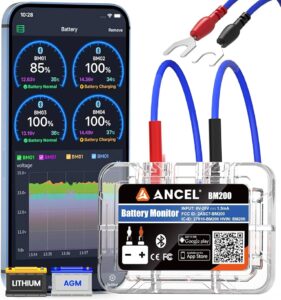
- Download the App: Search for “BM200” in your device’s app store and install the application.
- Enable Permissions: After opening, you will need to agree to terms, grant necessary permissions, and ensure your Bluetooth is turned on.
- Log In: Create an account using email, Google, or WeChat (email requires a 15-minute validation code).
- Add Your Device: Click “ADD device”. The most reliable way to register is to use the little Scan icon to scan the serial number printed on the side of the BM200 unit itself.
- Configure Settings: You can then enter details like a device name (“My Car”), fuel consumption, and, most importantly, define your battery type (Lithium or Lead Acid).
3. Performing Battery Health Tests
With the app connected, you can view your current state of charge (SOC) and perform two critical diagnostic tests: the Cranking Test and the Charging Test.
Cranking Test
This test measures the voltage drop when you start your vehicle, which is an excellent indicator of the battery’s overall health and ability to deliver high current.
- Click “Cranking Test” and start the car.
- The app measures the start time (in seconds) and the lowest start voltage it recorded during the crank.
- The result is displayed on a range, allowing you to instantly see if your battery is performing within or below the normal specifications.
Charging Test (Alternator Health)
This test assesses the health of your vehicle’s alternator and charging system under two different load conditions:
- Idle Test (High Load): The vehicle is idling while all electrical equipment is turned on (air conditioning, heated screens, lights, etc.). The app measures the idle charging voltage.
- High-Speed Test (Low Load): All electrical equipment is turned off, and the engine RPM is set to about 2,500 RPM. The app measures the high-speed charging voltage and the Diode Ripple rate.
The results show if your alternator is consistently charging the battery within the standard range, ensuring a long life for your battery.
Watch the full video for the live results and demonstration:Wireless Battery Monitor
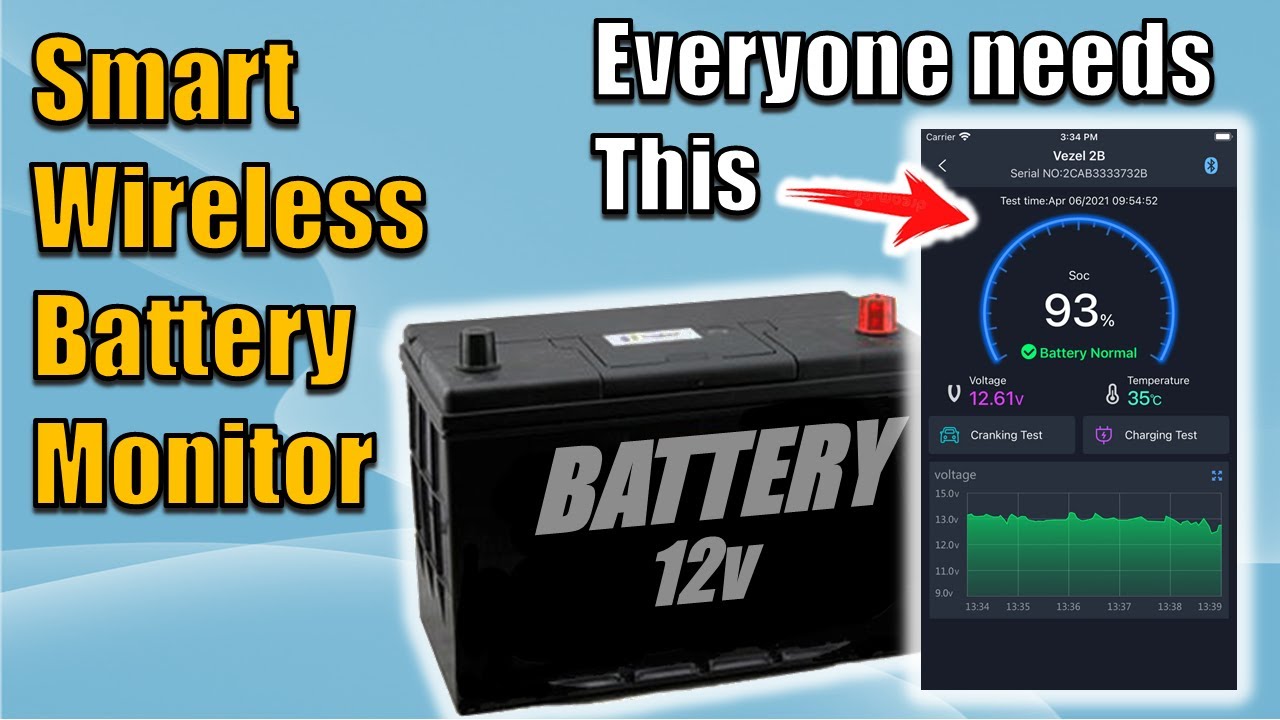
We’ll be using this Wireless Battery Monitor for a few weeks to gather data and will provide an update video with a long-term review.
Flexible While i’m using this to monitor my car battery, you can use it on other projects. I’m building a smart shed at the moment and I may use one of these Wireless Monitors to check on back up batteries. While the BM200 is great for monitoring individual 12v batteries; i’m looking at integrating larger systems like the Ecoflow DELTA series for whole office backup, stay tuned for that deep dive!
Does the Ancel BM200 drain your car battery?
No. The Ancel BM200 wireless battery monitor is designed with ultra-low power consumption, typically drawing less than 1.5mA. For a standard car battery, this is a negligible amount of power—far less than the car’s own clock or alarm system—meaning you can leave it connected for months without issue.
What is the Bluetooth range of the BM200?
This wireless battery monitor uses Bluetooth 4.2, which generally offers a range of about 10 meters (33 feet). In my testing, I was able to check the battery health from inside the house while the car was parked on the driveway, though thick walls or a heavy metal bonnet can slightly reduce this distance.
Can the Ancel BM200 be used on Lithium (LiFePO4) batteries?
Yes! Unlike some older monitors, the BM200 is compatible with all 6V to 20V batteries, including Lead-Acid, AGM, Gel, and Lithium (LiFePO4). You just need to ensure you select the correct battery type within the app settings to get an accurate State of Charge (SOC) reading.
Is the BM200 waterproof?
The BM200 wireless battery monitor is rated as IP67 waterproof, meaning it is protected against dust and can withstand being splashed or briefly submerged. It is perfectly safe to live in an engine bay, though I recommend mounting it away from extreme heat sources like the exhaust manifold.
Do I need to keep the app open to record data?
No. The device itself has built-in memory that can store battery data for up to 30 days. The next time you open the app and connect via Bluetooth, it will automatically sync the historical data and update your voltage graphs.
How do I interpret the Cranking Test results?
The Cranking Test monitors the voltage drop at the exact moment you start the engine.
Green (Excellent/Normal): Voltage stays above 9.6V.
Yellow (Low): Voltage drops between 8.5V and 9.6V (Your battery is getting tired).
Red (Fail): Voltage drops below 8.5V (Expect a breakdown soon!).
Further Reading
- How to Use the Kewtech KEWCHECK103: The DIY Guide to Testing Your Sockets
- The Best Desk Upgrade: Knightsbridge Mini Pop-Up USB Charger Review
- Why You Need a Cheap USB Power Meter (And How to Test Your Chargers)
Subscribe Now!
If you found this Wireless Battery Monitor guide helpful and are ready to stop guessing and start troubleshooting your own tech plus smart DIY, head over to the Built By Pete YouTube channel! We’ve got hundreds of other DIY projects and smart home tutorials. Click here to subscribe and hit the notification bell so you never miss out on the tips, tricks, and step-by-step guides that will simplify your tech life.