
Unlock Your Asus Router’s Full Potential with Asuswrt Merlin Firmware
What Is Router Firmware?
Think of your home Wi-Fi router not as a basic plug-and-play box, but as a compact, specialised microcomputer running its own embedded operating system known as firmware. This internal software manages essential networking tasks, from assigning local IP addresses and directing traffic to enforcing firewall security. While stock factory software favours simplicity over control, enthusiasts often upgrade to powerful third-party alternatives—such as Asuswrt Merlin Firmware, OpenWrt, or DD-WRT—to unlock advanced features, enhance performance, and maximize their hardware’s capabilities.
What Makes Asuswrt Merlin Firmware Different?
Created by developer Eric Sauvageau (RMerlin), Asuswrt Merlin Firmware is a refined, community-maintained firmware build created specifically for supported Asus Wi-Fi routers.
Rather than stripping out the original system, Merlin operates as a direct enhancement layer on top of official Asus stock code. This architecture offers significant advantages over full-replacement firmwares:
- Familiar Web Interface: You retain the standard Asus dashboard layout without needing to re-learn a new control system.
- Full Speed & Offloading: Proprietary Broadcom Wi-Fi drivers and hardware NAT acceleration remain untouched, ensuring maximum speed throughput.
- AiMesh Support: You can continue running Asus AiMesh mesh nodes across your residence without interruption.
- Seamless Flashing: Updates install through the built-in firmware update tool inside your browser dashboard.
Standout Capabilities Unlocked by Merlin
1. Granular Device Routing with VPN Director
While standard Asus software lets you connect to a VPN service, Merlin’s VPN Director allows device-by-device traffic steering:
- Route bandwidth-heavy smart TVs, set-top boxes, or media downloaders through an encrypted WireGuard or OpenVPN client.
- Force latency-sensitive desktop PCs and console gaming systems straight through your unthrottled ISP connection.
2. Custom Scripting via the JFFS Partition
For homelabbers and DIY automation fans, Merlin exposes the router’s internal JFFS flash storage. You can attach shell scripts to system triggers (like wan-event, firewall-start, or services-start) to automate dynamic DNS updates, execute scheduled reboots, or launch custom firewall rules.
3. Encrypted DNS & Enhanced Network Privacy
Merlin integrates native DNS-over-TLS (DoT) and direct customization for dnsmasq. This ensures your DNS lookups are encrypted before traversing the open internet, preventing ISP tracking while giving you the hooks required to run network-wide ad blocking directly on the router.
Step-by-Step Installation Guide
Step 1: Check Model Compatibility
Head over to the official Asuswrt-Merlin site and check the hardware compatibility list. Popular supported platforms include the RT-AX86U, RT-AX88U, GT-AX6000, and GT-AXE16000. (If your specific Asus unit isn’t listed, check for community releases maintained under the GNUton fork).
Step 2: Download the Firmware Image
- Locate your exact router model in the release catalog.
- Download the latest
.ziparchive and extract the image file (ending in.trxor.w).
Step 3: Flash the Router
- Connect to your router via network cable or Wi-Fi.
- Open your web browser and navigate to
192.168.50.1orrouter.asus.com. - Go to Administration > Firmware Upgrade.
- In the Manual Firmware Update section, choose Upload, pick your extracted file (
.trxor.w), and start the flash. - Allow 3 to 5 minutes for the file upload and automated system reboot.
Pro-Tip: When upgrading across major release branches, executing a factory default reset after flashing ensures your router starts on clean configuration files.
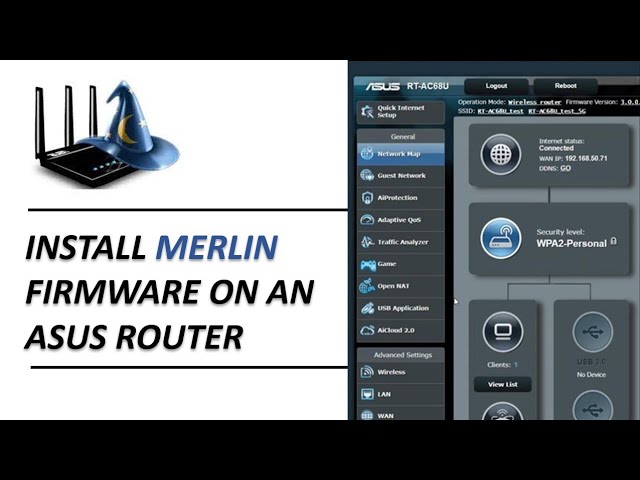
Watch the Video Guide to Install asuswrt Merlin Firmware
Prefer a visual tour? Check out the full video over on the Built By Pete YouTube channel—or keep scrolling if reading is more your style!
Recommended Day-One Settings
Once your router reboots into Asuswrt-Merlin, complete these quick tweaks to unlock its best features:
- Turn On Custom Script Execution: Go to Administration > System and flip Enable JFFS custom scripts and configs to Yes.
- Enable Encrypted DNS: Navigate to WAN > Internet Connection, locate DNS Privacy Protocol, and select DNS-over-TLS (DoT) using servers like Cloudflare or Quad9.
- Set Up VPN Rules: Open VPN > VPN Client, load your OpenVPN/WireGuard config file, and open VPN Director to bind specific local IP addresses to the VPN interface.

BuiltByPete ASUS Router Guides
Check out ASUS Router, tips and guides on the BuiltByPete Youtube channel .
▶ Explore BuiltByPeteASUSWRT Merlin Firmware FAQ
1. Will flashing Asuswrt Merlin Firmware void my router’s warranty?
Flashing Asuswrt Merlin firmware generally does not void your hardware warranty, as it uses official Asus codebase and firmware structures. Because the installation uses standard Asus update procedures, you can easily restore your router to official stock firmware at any time using the normal web dashboard.
2. Can I switch back to official Asus stock firmware if needed?
Yes. To revert to standard stock firmware:
– Download the official firmware image for your exact router model from the Asus Support site.
– Log into your router’s web dashboard (192.168.50.1).
– Navigate to Administration > Firmware Upgrade.
– Upload the official Asus firmware file and reboot.
3. Does Asuswrt Merlin Firmware work with Asus AiMesh?
Yes! Unlike third-party firmwares such as DD-WRT or OpenWrt, Asuswrt-Merlin retains full compatibility with Asus AiMesh. Your main router running Merlin will communicate seamlessly with other Asus nodes across your home network.
4. How often is Asuswrt Merlin Firmware updated?
Developer Eric Sauvageau (RMerlin) releases regular updates aligned with major official Asus firmware releases. Critical security patches and bug fixes are usually merged rapidly into stable Merlin release channels.
5. Why isn’t my Asus router model supported on the official Merlin site?
Merlin focuses on specific high-performance Broadcom-based Asus models due to hardware limitations and development time. If your exact model isn’t listed on the official Asuswrt-Merlin site, check the GNUton fork, an active community project that ports Merlin firmware to additional Asus models (including many DSL and TuF series routers).
6. Will I lose my network settings when updating between Merlin releases?
For standard minor version updates (e.g., from version 386.1 to 386.2), your existing settings and Wi-Fi configurations are preserved. However, when upgrading across major code base changes, performing a Factory Default Reset after flashing is recommended to prevent unexpected configuration bugs.
Other Articles That You Might Enjoy
- Shelly EM: Smart Energy Monitoring Guide
- Simple DIY Network Monitor Using a Windows Batch Script V2 (Beginner Friendly)
- Schedule Router Reboot: Why Your Wi-Fi Needs It (And How to Do It Easily on ASUS)
- Not Just For WiFi: The 7 Hidden Router Features Hiding in Plain Sight
Subscribe Now!
If you found this guide helpful for learning how to unlock your ASUS router with asuswrt merlin firmware and are ready to stop guessing and start troubleshooting your own techand start troubleshooting your own tech plus smart DIY, head over to the Built By Pete YouTube channel! We’ve got hundreds of other DIY projects and smart home tutorials. Click here to subscribe to the BuiltByPete youtube channel and hit the notification bell so you never miss out on the tips, tricks, and step-by-step guides that will simplify your tech life.