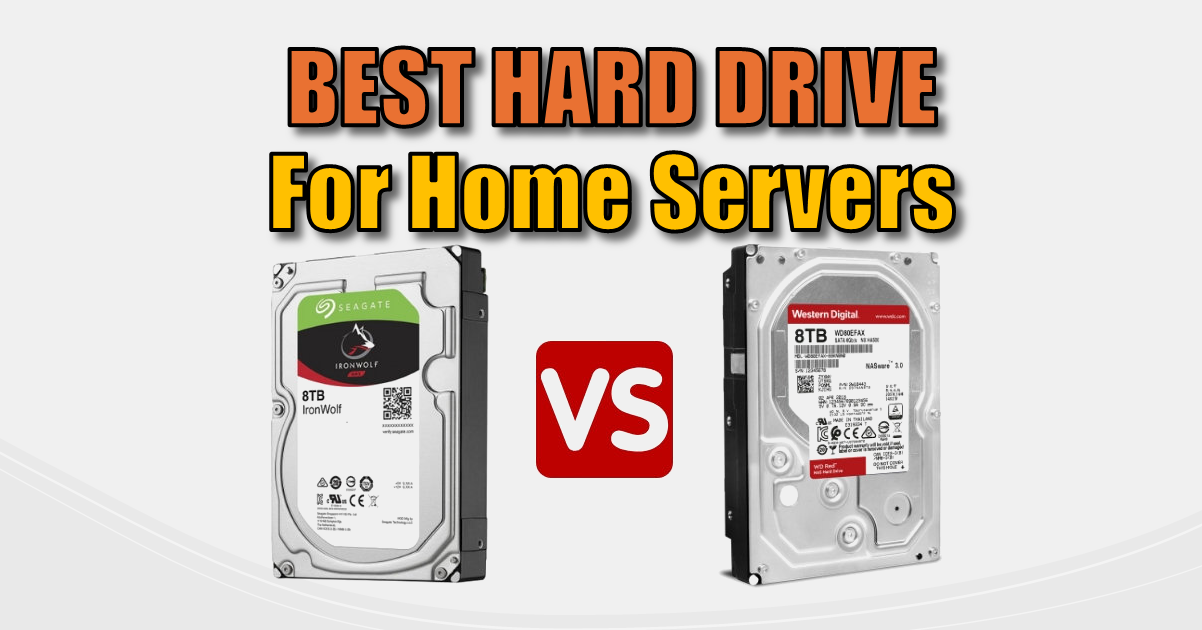
Best Hard Drives for Home Servers: WD Red vs. Seagate IronWolf vs. Enterprise
Best Hard Drives. Buying a hard drive used to be simple: you just picked the biggest one you could afford. But in 2025, with the rise of high-capacity “Smart Shed” servers and 4K media streaming, picking the wrong drive can lead to slow speeds, data loss, or even “RAID failure.”
Whether you are building a budget backup or a 100TB home lab, here is the breakdown of the best hard drives on the market right now.
The “Golden Rule”: CMR vs. SMR
Before looking at brands, you must know about recording technology.
- CMR (Conventional Magnetic Recording): The gold standard. Fast, reliable, and essential for NAS or RAID setups.
- SMR (Shingled Magnetic Recording): “Overlap” technology used to make drives cheaper. Avoid these for NAS or daily use. They tank in performance during large writes and can take days to rebuild in a RAID array.
Pro Tip: If the price looks “too good to be true” for an 8TB drive, it’s probably SMR. Always check the spec sheet for “CMR.”
1. Best Hard Drives for Home NAS: Seagate IronWolf & IronWolf Pro
Seagate’s IronWolf series remains a fan favourite for 2025. They are designed for 24/7 operation and feature AgileArray firmware, which helps manage vibration in multi-bay enclosures.
- Pros: Includes 3 years of free “Rescue Data Recovery” services; excellent performance.
- Cons: Known to be slightly noisier (clicking sounds) than WD equivalents.
- Best For: Media servers (Plex), home offices, and 2-to-8 bay NAS units.
2. Best for Quiet Operation: WD Red Plus & Red Pro
Western Digital’s “Red” line is the direct rival to the IronWolf. The Red Plus (the mainstream choice) is famously quieter and runs slightly cooler.
- Pros: Very quiet; excellent “NASware” firmware; broad compatibility.
- Cons: The “SMR Scandal” from a few years ago still makes some buyers wary (ensure you buy “Red Plus” or “Red Pro” to guarantee CMR).
- Best For: Living room setups or office desks where noise matters.
3. Best Value (The Pro Move): Enterprise Drives (Seagate Exos / WD Gold)
Many DIYers are now skipping “NAS” drives and going straight to Enterprise drives like the Seagate Exos X20. These are built for massive data centres.
- Pros: Massive 550TB/year workload rating; 5-year warranties; often cheaper per terabyte than NAS drives.
- Cons: They are loud. They are designed for server rooms, not bedrooms.
- Best For: Serious data hoarders and “Smart Shed” server racks where noise isn’t an issue.
Comparison Table: Top HDDs
| Drive Model | Speed (RPM) | Warranty | Best Use Case | Noise Level |
| WD Red Plus | 5640 / 7200 | 3 Years | Home NAS / Media | Low |
| Seagate IronWolf | 7200 | 3 Years | Home Office / SMB | Medium |
| Seagate Exos | 7200 | 5 Years | Bulk Storage / Server | High |
| WD Gold | 7200 | 5 Years | Enterprise / Reliability | High |
| Toshiba N300 | 7200 | 3 Years | Budget Performance | Medium |
Which Drive Should You Buy?
- Building a 2-bay NAS for photos? Go for a WD Red Plus. It’s quiet and reliable.
- Building a serious server in the garage or shed? Grab a Seagate Exos. You get the best “bang for your buck” and a massive workload rating.
- Doing a simple PC backup? A standard WD Blue (CMR version) or Seagate BarraCuda is fine, provided you aren’t running it 24/7.
Next Steps:
Once you’ve bought your drive, make sure you set it up correctly:
Subscribe Now!
If you found this Best Hard Drives guide interesting and are ready to stop guessing and start troubleshooting your own tech plus smart DIY, head over to the Built By Pete YouTube channel! We’ve got hundreds of other DIY projects and smart home tutorials. Click here to subscribe to the BuiltByPete youtube channel and hit the notification bell so you never miss out on the tips, tricks, and step-by-step guides that will simplify your tech life.


