PoE (Power over Ethernet) Explained: The Secret to a Professional DIY Smart Home
POE Explained. If you’ve ever tried to install a security camera on the outside of your house or an access point in a garden shed, you’ve run into the same headache: How do I get power to it? Usually, this involves hiring an electrician to run a new power socket or faffing around with ugly extension cables. But there is a better way that the pros use—it’s called PoE, or Power over Ethernet.
In this guide, I’m breaking down exactly what PoE is, how it works, and why it is the “secret sauce” for any serious DIY smart home or shed build.
What is Power over Ethernet (PoE)?
Simply put, PoE allows a single Ethernet cable to carry both data and electrical power to a device.
Instead of needing two cables (one for the internet and one for a power plug), you only need one. The power is “injected” into the data cable at the source and “extracted” by the device at the other end.
Common PoE Devices:
- IP Security Cameras (The #1 use case).
- Wireless Access Points (For getting Wi-Fi into your shed).
- VoIP Phones.
- Smart Lighting and sensors.
Why Every DIYer Should Use PoE
Using PoE isn’t just about being “fancy”—it has practical benefits for your projects:
- Safety: PoE runs at a lower voltage than mains power. You don’t need a qualified electrician to run Ethernet cables through your walls or loft.
- Flexibility: You can install a camera or Wi-Fi booster anywhere you can run a slim Ethernet cable. You aren’t limited by where your power sockets are.
- Reliability: Unlike Wi-Fi cameras that can drop signal or need battery changes, PoE devices are hardwired for data and constant power.
- Centralised Reset: If a PoE camera freezes, you can reboot it by simply unplugging the cable at the switch end—no ladders required!
PoE vs. Wi-Fi: Which is Best for Your Smart Home?
| Feature | PoE (Wired) | Wi-Fi (Wireless) |
| Data Reliability | Rock Solid. No interference or signal drops. | Variable. Can be affected by walls and distance. |
| Power Source | Sent over the Ethernet cable (No batteries). | Requires a nearby plug or frequent battery swaps. |
| Installation | Harder. Requires running a cable through walls. | Easier. Just mount the device and connect to app. |
| Security | High. Harder to jam or intercept a physical wire. | Medium. Wireless signals can be jammed or hacked. |
| Maintenance | Low. Set it and forget it. | High. Periodic battery recharges or signal troubleshooting. |
| Best For… | Security cameras, Garden Sheds, Access Points. | Smart doorbells, Indoor plugs, Temporary setups. |
How to Add PoE to Your Home Network
There are two main ways to “inject” power into your Ethernet lines:
1. The PoE Switch (The Best Way)

If you have multiple devices (like 4 cameras), buy a PoE Network Switch. It looks like a standard switch but has “PoE” ports that automatically send power to compatible devices.
- Pete’s Tip: Look for a “Plug and Play” unmanaged PoE switch for an easy DIY setup.
2. The PoE Injector (The Budget Way)

If you only have one device to power (e.g., just one Access Point in your shed), you can use a PoE Injector. This is a small “mid-span” device that plugs into a wall socket and “injects” power into a single Ethernet line.
PoE Switch vs. PoE Injector: Which One Do You Need?
Choosing between a switch and an injector depends entirely on the scale of your project. If you are just starting your Smart Shed build, you might only need an injector, but for a full home security system, a switch is the way to go.
| Feature | PoE Switch | PoE Injector |
| Number of Devices | Powers multiple devices (usually 4, 8, or 16). | Powers exactly one device. |
| Space & Cables | Cleaner. One power plug for many devices. | Messy. Each injector needs its own wall socket. |
| Management | Often “Smart” (can reboot ports via software). | “Dumb” (must be manually unplugged to reset). |
| Initial Cost | Higher upfront cost (£40 – £150+). | Very cheap (£10 – £20). |
| Scalability | Easy. Just plug in another camera. | Hard. Requires a new injector and socket for every device. |
| Best For… | Whole-house security or a network rack. | A single Wi-Fi bridge or one-off camera. |
What Cable Do You Need for PoE?
I get asked this a lot. Do you need special “power” Ethernet cables? No. Standard Cat5e, Cat6, or Cat8 cables will all carry PoE. However, for the best performance—especially over long distances like a garden run—I always recommend using Pure Copper (BC) cables rather than the cheaper Copper Clad Aluminium (CCA) cables. Pure copper handles the heat and power delivery much more efficiently.
Power Over Ethernet (PoE) Frequently Asked Questions
Can PoE damage my non-PoE devices?
If you are using Active PoE (standards 802.3af/at/bt), no. Active PoE switches perform a “handshake” to verify the device needs power before sending it. If you plug in a standard laptop or desktop, the switch will only send data. However, Passive PoE does not perform this check and sends constant electricity, which can damage non-PoE equipment.
What happens if I exceed the 100-meter (328 ft) distance limit?
Beyond 100 meters, you will experience “voltage drop” and data degradation. The device might power on but reboot constantly, or the data connection will be extremely slow and unstable. To go further, you must use a PoE Extender or a powered midspan.
Do I need special Ethernet cables for PoE?
Technically, PoE works on Cat5e and above. However, for PoE+ (30W) and PoE++ (60W+), it is highly recommended to use Cat6 or Cat6A with 23AWG solid copper conductors. Higher wattage creates heat; thicker copper dissipates that heat better and prevents data errors. Avoid CCA (Copper Clad Aluminum) cables at all costs, as they are a fire hazard when used with PoE.
Can I turn a non-PoE switch into a PoE switch?
Yes, by using a PoE Injector. You plug your data cable from the non-PoE switch into the injector, and the injector adds (“injects”) power, sending a combined power-and-data signal out to your device.
What is the difference between a PoE Injector and a PoE Splitter?
Injector: Adds power to an Ethernet cable to power a PoE-compatible device.
Splitter: Does the opposite. It takes a PoE signal and “splits” it into two separate outputs: a data cable and a DC power jack. This allows you to use a PoE cable to power a device that isn’t natively PoE-compatible (like a standard router or a tablet).
Does PoE use more electricity than a standard power adapter?
PoE is slightly less efficient than a wall plug due to power loss over the length of the Ethernet cable (heat dissipation). However, the difference is negligible for most home and small office setups, and the convenience of centralized power management usually outweighs the minor efficiency loss.
How do I know how many PoE devices I can plug into one switch?
You must check the “PoE Budget” of your switch. For example, a switch might have 8 ports but a total power budget of 60W. If you plug in two high-power 30W PTZ cameras, you have exhausted the budget, and the remaining 6 ports will only work for data, not power.
Is PoE safe?
Yes. Because PoE typically operates at voltages between 44V and 57V, it is considered low-voltage. It is generally safe for DIY installation and does not carry the same risk of dangerous electrical shock as standard 120V/230V AC wall outlets.
Final Thoughts
If you’re following my Ultimate Smart Shed Build, you’ll see me using PoE for the security cameras and the internal Wi-Fi. It makes for a much cleaner, more professional-looking install.
Related Networking Guides:
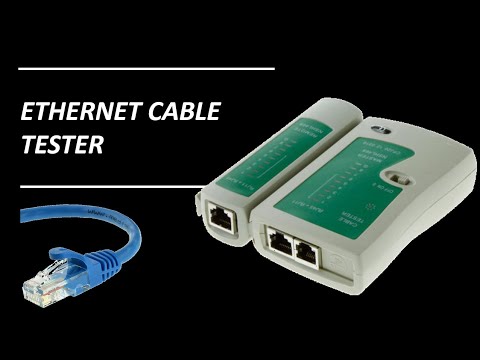
Related Video: Take a look at this video for a budget friendly ethernet cable tester