How to Use the Kewtech KEWCHECK103: The DIY Guide to Testing Your Sockets
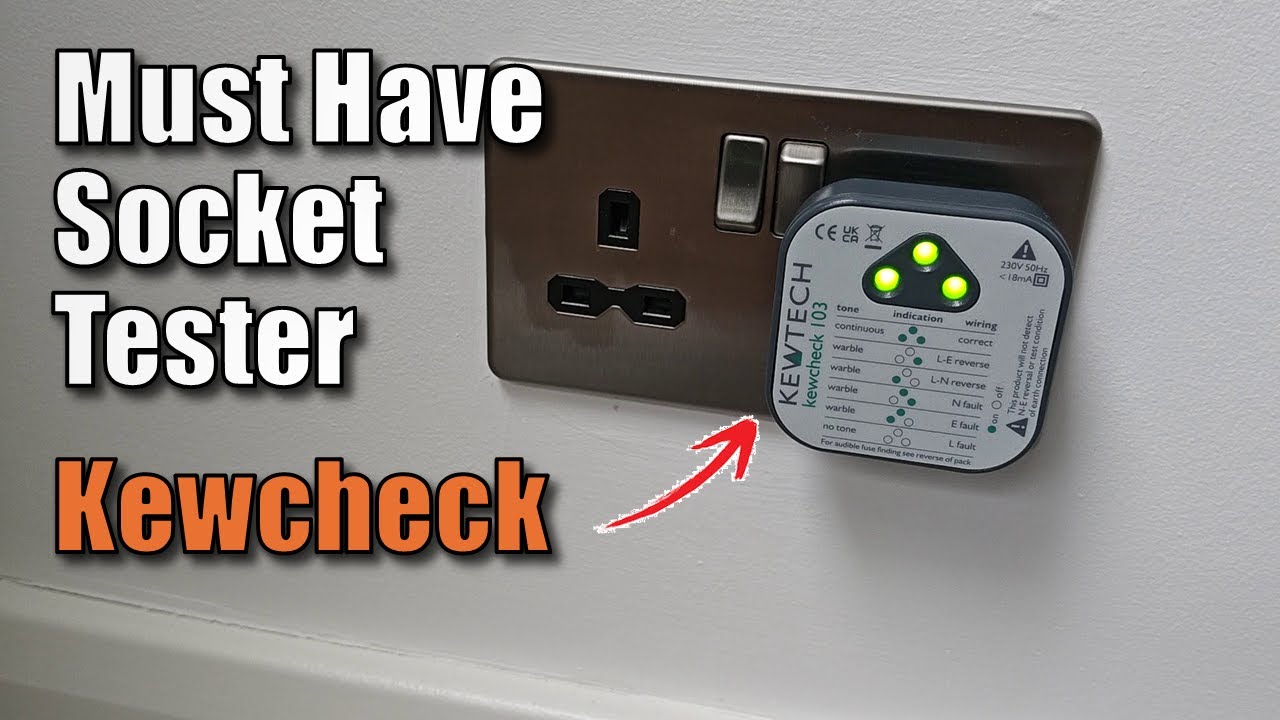
Whether you’ve just finished installing a new socket or you’re moving into a new house, safety should be your top priority. One of the simplest and most effective tools in my bag is the Kewtech KEWCHECK103 Mains Wiring Socket Tester.
In this guide, I’ll show you how to use this handy device and, more importantly, how to interpret those beeps and lights so you know exactly what’s going on behind your walls.
Watch The Kewtech Kewcheck103 Socket Tester In Action
What is the Kewtech KEWCHECK103?
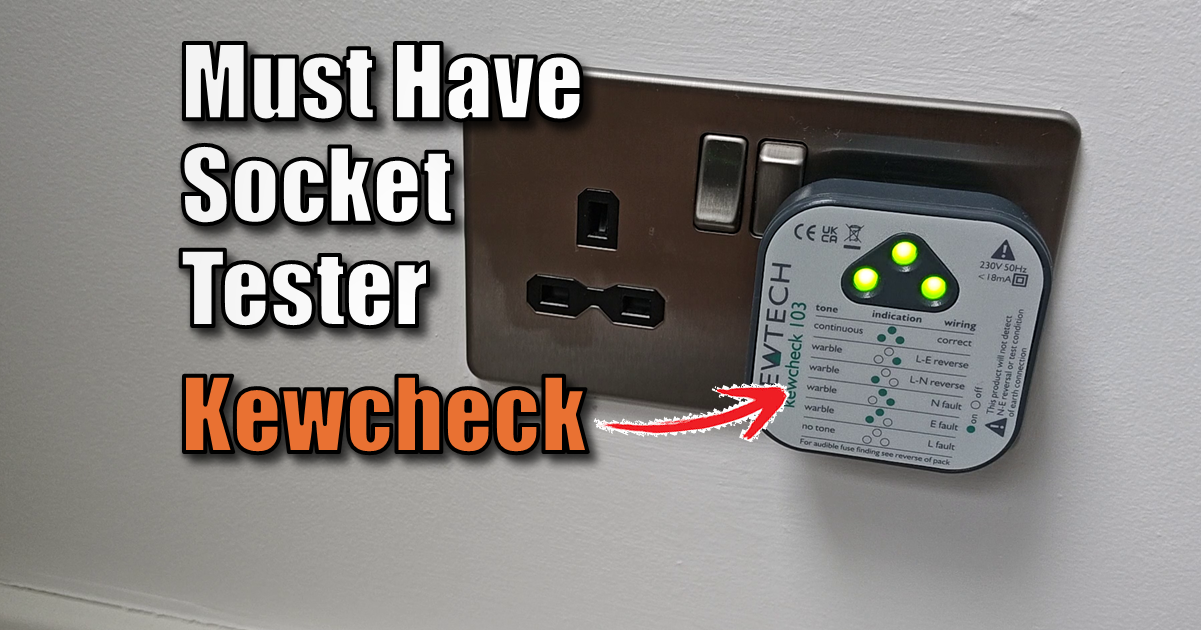
The KEWCHECK103 is a “plug-and-play” diagnostic tool designed for UK 13A sockets. Unlike the cheap, silent testers you find in bargain bins, this model features both visual LED indicators and an audible buzzer.
Where to Buy : If you’re looking to add this to your toolkit – Kewtech KEWCHECK103.
It’s designed to detect 14 different wiring conditions, including the dangerous “Neutral-Earth Swap” that many basic testers miss.
How to Use the Tester (Step-by-Step)
Using the device is straightforward, but you need to follow a safe process:
- Visual Inspection: Before plugging anything in, check the socket for signs of burning, cracks, or loose screws.
- Plug it in: Insert the KEWCHECK103 into the socket and switch the socket on.
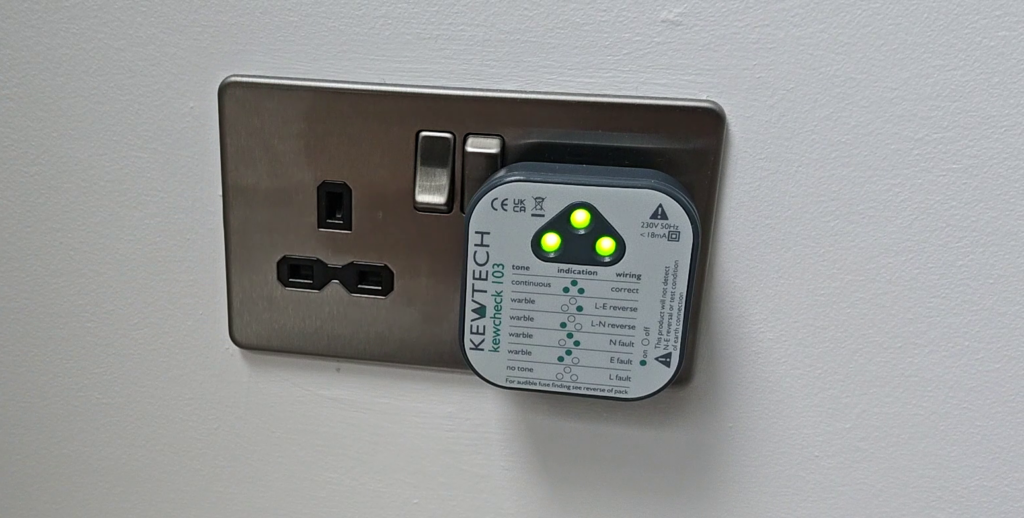
- Check the LEDs: Look at the three LEDs on the front of the device.
- Listen to the Tone: The device will emit a specific beep pattern depending on the wiring state.
- Compare to the Legend: Check the lights and tone against the reference chart printed on the front of the device.
How to Interpret the Results
The KEWCHECK103 uses a combination of Red and Green LEDs. Here is how to read the most common results you’ll encounter:
The “All Clear” Result
| Visual | Audible | Meaning |
| Three Green Lights | Continuous Tone | Correct Wiring. Everything is safe and connected properly. |
Common Faults
| Visual | Audible | Meaning |
| No Lights | No Tone | No Power. Check your fuse box (MCB) or the fuse in the plug. |
| One Green (Right) | Warbling Tone | Live – Earth Reversed. |
| One Green (Left) | Warbling Tone | Live – Neutral Reversed. |
| Two Green Lights (Right) | Warbling Tone | Neutral Fault |
| Two Green Lights (Left) | Pulsed Tone | Earth Fault |
Pete’s Pro Tip: If you get a “Warbling” or “Pulsed” tone, turn off the power at the consumer unit immediately. These tones are designed to sound unpleasant for a reason—they indicate a potentially hazardous wiring state.
What the KEWCHECK103 CANNOT Do
While this tool is brilliant for a first-line check, it is important to know its limitations:
- It won’t detect “Earth-Neutral” swaps: (Though it can detect Neutral-Earth swaps).
- It doesn’t measure Earth Loop Impedance: It tells you the Earth is there, but not how good that connection is.
- It isn’t an RCD Tester: It won’t tell you if your RCD will trip fast enough in an emergency.
For a full safety certification, you still need a qualified electrician with a multi-function tester (MFT). However, for a DIYer, this is the best “first pass” safety tool you can own.
Socket Test Case Deep Dive
The Kewtech KEWCHECK103 is much smarter than the basic £5 testers because it doesn’t just look for “missing” wires; it looks for “swapped” wires and compound faults. Here are the 14 specific wiring conditions the KEWCHECK103 is designed to identify. I’ve broken them down into the categories you’d use for your blog table:
1. The “Correct” State
- Status: Everything is wired perfectly.
- Indication: 3 Green LEDs + Continuous Tone.
2. Basic Faults (Missing Wires)
These occur when a specific conductor is not connected or has a break in the circuit.
- Missing Earth (Earth Open): The earth wire is not connected or is broken.
- Missing Neutral (Neutral Open): The neutral wire is not connected.
- Missing Live (Live Open): No power is reaching the socket (usually results in no lights or sound).
3. Simple Polarity Reversals
- Live / Neutral Reverse: The live and neutral wires have been swapped.
- Live / Earth Reverse: The live and earth wires have been swapped. (Very dangerous!)
4. The “Hidden” Fault (The USP)
- Neutral / Earth Swap: The neutral and earth wires are swapped.
Note: Basic testers often show this as “Correct,” but the advanced internal logic of the KEWCHECK103 successfully detects this error.
5. Advanced Compound Faults
These multi-fault scenarios often occur in DIY “botch jobs” or deteriorated old wiring where two or more issues exist simultaneously:
- Live / Neutral Reverse & Missing Earth: L and N are swapped, AND there is no ground.
- Live / Earth Reverse & Missing Neutral: L and E are swapped, AND the neutral is missing.
- Live-Neutral-Earth Reverse: All three wires are in the wrong terminals.
- Live-Neutral-Earth Reverse & Live Open: A complex failure where power is cut but wires are also crossed.
- Live-Earth Reverse & Live Open: Power is cut, but a polarity swap exists in the circuit.
- Neutral Open & Earth Open: Both the return path (Neutral) and the safety path (Earth) are missing.
- Live-Neutral Reverse & Live Open: Polarity is swapped, but the circuit is currently open.
Kewcheck 103 FAQ
Does the KEWCHECK103 trip RCDs during testing?
No. Unlike some older or lower-quality testers, the KEWCHECK103 is designed to be “RCD-safe.” It draws a minimal amount of current (less than 5mA), ensuring that you can test circuits without accidentally tripping the Residual Current Device or causing a power outage.
What does the “Continuous Tone” mean?
A continuous, steady tone is the “all-clear” signal. It indicates that the Live, Neutral, and Earth wires are all connected correctly and that the polarity is correct. If you hear a pulsing (warbling) tone or no tone at all, there is a wiring fault that requires investigation.
Why does the KEWCHECK103 detect a Neutral/Earth swap when other testers don’t?
Most standard socket testers only check for a voltage difference between pins. Since both Neutral and Earth are at a similar potential (near zero volts), a simple tester cannot distinguish between them. The KEWCHECK103 uses internal microprocessor logic to verify the integrity of the specific return paths, identifying this dangerous swap.
Can I use the KEWCHECK103 on a 110V site transformer?
No. The KEWCHECK103 is designed specifically for standard UK 230V AC systems. Using it on different voltages or DC systems could damage the unit and provide inaccurate readings.
What should I do if the tester indicates a fault?
If the tester shows anything other than three green lights and a continuous tone, you should stop using that socket immediately. The indicated fault suggests a wiring error that could lead to electric shock or fire. We recommend contacting a qualified electrician to rectify the issue.
Final Thoughts
For under £20, the Kewtech KEWCHECK103 is a no-brainer for any homeowner. I use mine every time I’ve been working on a circuit to give myself that final bit of peace of mind.
- Score: 9/10 for the price point
- Pros: Audible buzzer is a game-changer, detects 14 faults, RCD safe.
- Cons: Won’t detect Earth-Neutral swaps (standard for this price point).
- Best For: DIYers, Landlords, and anyone moving into a new home.
Related Wiring Guides:
Subscribe Now!
If you found this Socket Test wiring guide interesting and are ready to stop guessing and start troubleshooting your own tech plus smart DIY, head over to the Built By Pete YouTube channel! We’ve got hundreds of other DIY projects and smart home tutorials. Click here to subscribe to the BuiltByPete youtube channel and hit the notification bell so you never miss out on the tips, tricks, and step-by-step guides that will simplify your tech life.