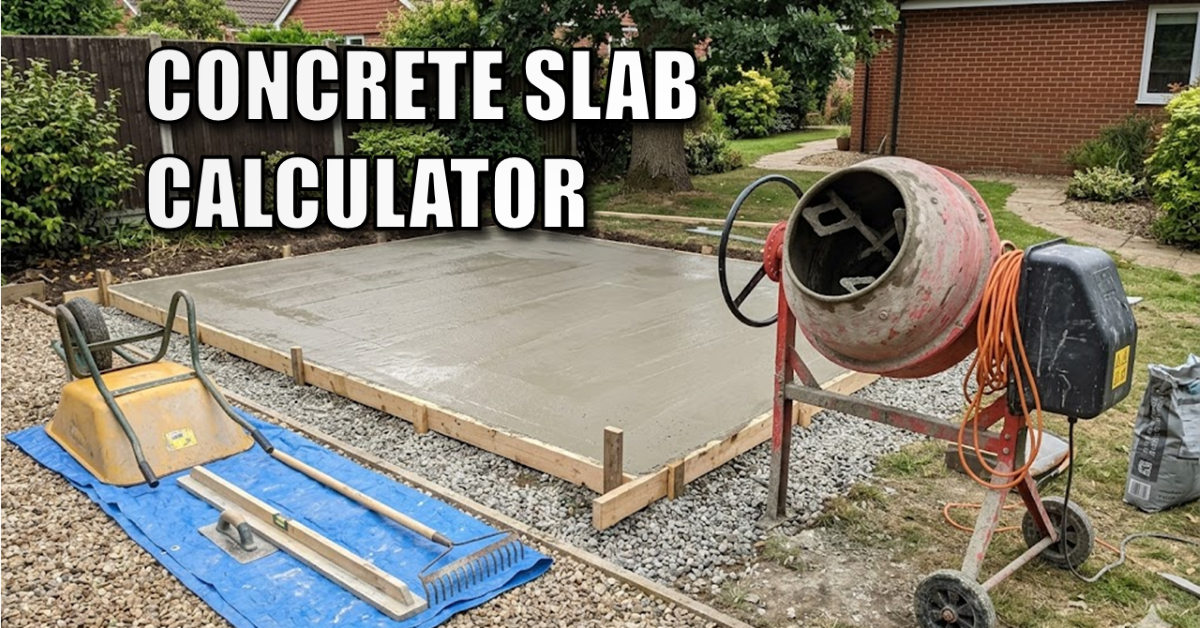
Concrete Slab Volume Calculator (Cubic Feet, Yards & Meters)
Using a concrete slab volume calculator is essential because planning a concrete pour can be stressful. Order too little, and you are left with an incomplete slab while the truck clock is ticking. Order too much, and you’re wasting money on materials you have to dispose of.
This free, interactive concrete slab volume calculator is designed to give you instant, precise measurements for your next project. It works for sheds, patios, driveways, and pathways. Simply enter your dimensions using your preferred units below to get your answers instantly.
The Concrete Slab Volume Calculator
DIY Concrete Slab Volume Calculator
Type your slab dimensions below to find the exact concrete volume required in all standard units.
How to Calculate Concrete Volume Manually
If you want to double-check the math by hand, calculating the volume of a rectangular concrete slab is straightforward. The base formula is:
Length × Width × Depth = Volume
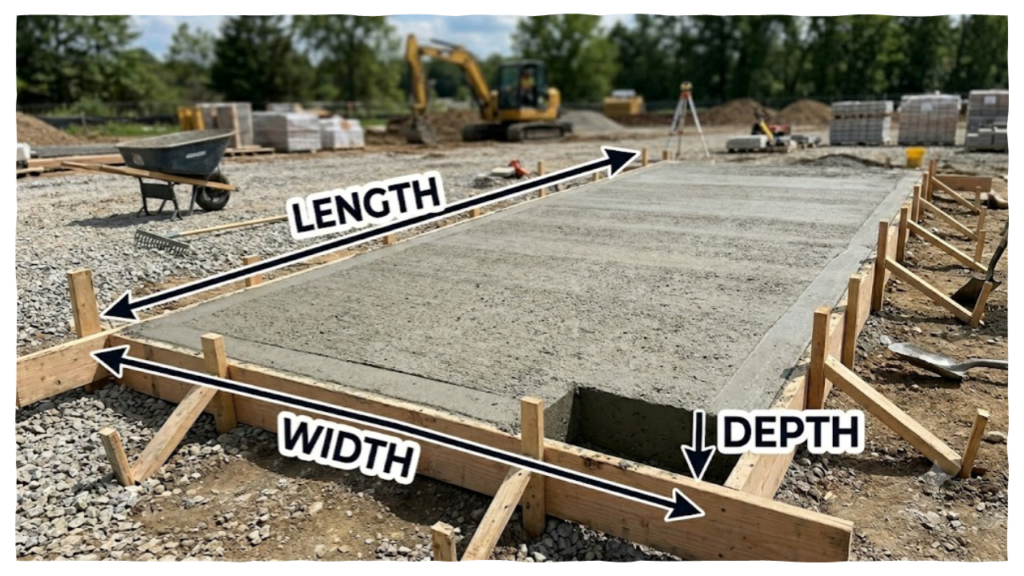
The trickiest part of the equation is the depth. Because length and width are usually measured in large units (feet or meters) while depth is measured in smaller units (inches or centimeters), you must convert your depth to match your other dimensions before multiplying.
The Imperial Formula (Cubic Yards)
Most concrete suppliers in the US sell concrete by the Cubic Yard. To find your total cubic yards manually:
- Convert your depth from inches to feet by dividing by 12. (For example, a standard 4-inch thick slab is 4÷12=0.333 feet).
- Multiply Length (ft) × Width (ft) × Depth (ft) to get the total Cubic Feet.
- Divide your total Cubic Feet by 27 (since there are 27 cubic feet in a cubic yard) to get your final Cubic Yards.
The Metric Formula (Cubic Meters)
If you are ordering concrete or buying premixed aggregate bags in the UK or Europe, you will need Cubic Meters.
- Convert your thickness from centimeters to meters by dividing by 100. (A 10cm thick slab is 10÷100=0.1 meters).
- Multiply Length (m) × Width (m) × Depth (m) to get your total Cubic Meters.
Why You Must Always Include a Safety Buffer
You will notice that our calculator automatically includes a 10% safety buffer by default. It is highly recommended that you leave this checked when ordering or mixing materials.
In real-world DIY builds, several factors will alter your actual volume requirements:
- Formwork Flexing: The weight of wet concrete pressing against your shuttering boards can cause them to bow outwards slightly, requiring more volume.
- Uneven Sub-base: Ground excavations are rarely perfectly flat. If your compacted gravel sub-base dips down an extra half-inch in the center, your slab will take more concrete to fill.
- Spillage and Waste: A small amount of concrete will inevitably get left behind in wheelbarrows, on tools, or spilled during the pour.
A 10% safety margin ensures you don’t run short on materials at the worst possible moment.
Next Steps for Your Concrete Project
Now that you know exactly how much concrete your slab requires, it’s time to get to work on the preparation. A great slab is entirely dependent on the groundwork beneath it.
If you are pouring a base for a workshop or backyard building, check out my step-by-step guide on How to Build a Concrete Shed Foundation Slab. I break down exactly how to dig out the site, compact your hardcore sub-base, drop your steel mesh reinforcement, and run vital utility lines through the slab before the concrete arrives!
Further Reading
- How to Remove a Tree Stump the Easy Way: No Digging Required!
- How to Install Concrete Anchor Bolts (The Best Way to Secure a Shed)
- Building the Ultimate Smart Shed (Part 1): Plans & Site Preparation
- Introducing The Ultimate Smart Shed Build: Why We’re Building a High-Security, Tech-Integrated DIY Shed
Subscribe Now!
If you found concrete slab volume calculator helpful and are ready to stop guessing and start troubleshooting your own tech plus smart DIY, head over to the Built By Pete YouTube channel! We’ve got hundreds of other DIY projects and smart home tutorials. Click here to subscribe to the BuiltByPete youtube channel and hit the notification bell so you never miss out on the tips, tricks, and step-by-step guides that will simplify your tech life.