Home Tech Security Audit: 5 Steps to Secure Your Network
Home Tech Security Audit. We spend a lot of money on smart cameras, high-speed routers, and clever home automation, but how much time do we spend securing them? A single “weak link”—like an old smart bulb or a default password—can give a hacker a doorway into your network and your private data.
You need to perform regular security audits to keep safe.
The Golden Rule: Your Network is Only as Secure as its Weakest Link
Cybersecurity is a chain. You can have an expensive professional router and a complex Wi-Fi password, but if you have a single £5 “no-name” smart bulb with a default password and outdated firmware, your entire network is at risk. Hackers don’t usually “break down the front door”; they look for the open window.
1. Audit Your Router (The Front Door)
Your router is the “gatekeeper” of your home. If the gatekeeper is sleeping, anyone can walk in.
- Update Your Firmware: Manufacturers regularly release security patches. Log into your router and check for updates.
- Disable UPnP (Universal Plug and Play): This feature allows devices to open “ports” in your firewall automatically. While convenient, it’s a massive security risk. Turn it off.
- Change the Admin Password: This is NOT your Wi-Fi password. This is the password to get into the router settings. If you’re still using “admin,” change it now.
Example! Here’s a quick video guide to make an ASUS Router More Secure

2. The Ultimate Upgrade: Ethernet over Wi-Fi
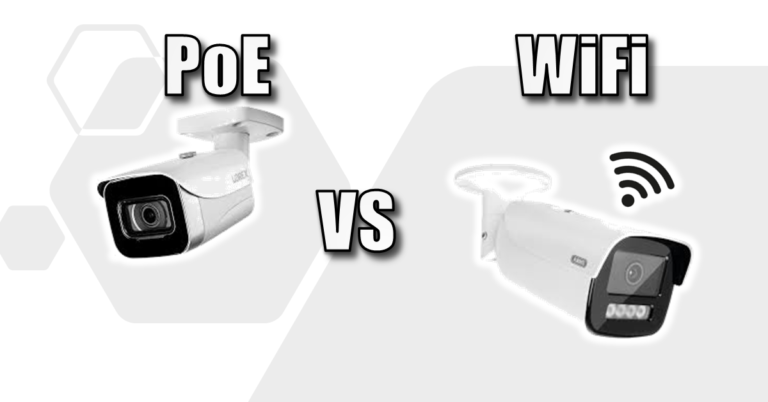
While Wi-Fi is convenient, it is inherently less secure than a physical Ethernet cable.
- No Wireless Interception: Data inside an Ethernet cable is contained within the wire. An attacker can’t “sniff” your data from a car in the driveway.
- Immune to Wi-Fi Jamming: Tech-savvy burglars use jammers to knock Wi-Fi cameras offline. Wired Ethernet cameras are completely immune to this.
- Pete’s Tip: Use Ethernet for “critical” tech: cameras, work PCs, and your NAS. Check out my guide on Power over Ethernet (PoE) to see how to do this with just one cable. Also, check out which Ethernet Cables work best for your home network
3. Segment Your Smart Home (IoT)
One of the biggest risks in a modern home is a cheap smart bulb. These devices rarely get security updates.
- Guest Networks: The “pro move” is to put all your “Smart Home” (IoT) devices on a Guest Network. This keeps them separate from your main PC where you do your banking.
- The Benefit: If your smart light is hacked, the attacker is “trapped” on the guest network and can’t see your personal files.
4. Don’t Forget IoT Firmware Updates
We remember to update our phones, but we forget the “dumb” devices. Outdated firmware is a massive security hole.
- The Hub Method: If you use devices like Shelly or Sonoff, use their app to check for updates across all sensors at once.
- Auto-Update: If a device offers an “Auto-Update” feature, turn it on. The security benefit far outweighs the risk of a buggy update.
- End of Life: If a device hasn’t had an update in 2+ years, the manufacturer has likely abandoned it. Consider replacing it.
5. Check for “Zombies” on Your Network
Every device connected to your Wi-Fi is a potential entry point.
- The Scan: Use a tool like Advanced IP Scanner or log into your router to see a list of connected devices.
- Identify Everything: If you see an “Unknown Device,” investigate it. It could be an old tablet in a drawer or a neighbour piggybacking on your signal.
Quick Checklist: Is Your Home Secure?
| Task | Frequency | Status |
| Update Router Firmware | Every 3 Months | [ ] |
| Scan for Unknown Devices | Every Month | [ ] |
| Check IoT/Smart Device Updates | Every Month | [ ] |
| Change Main Admin Password | Once a Year | [ ] |
| Enable Two-Factor (2FA) on Apps | Once | [ ] |
Final Thoughts
Security isn’t a one-time setup; it’s a habit. Taking 10 minutes every few months to audit your network can save you from a massive headache later.
Related Guides to Keep You Safe:
- ASUS Router Security: 2 Settings to Change Now – My video guide on locking down ASUS routers.
- How to Spot Fake Captchas – Don’t let your own browser betray you.
- Check Your Hard Drive Health – Security also means protecting against data loss!
When was the last time you updated your router? Do sooner than later!
Subscribe Now!
If you found this guide helpful and are ready to stop guessing and start troubleshooting your own tech plus smart DIY, head over to the Built By Pete YouTube channel! We’ve got hundreds of other DIY projects and smart home tutorials. Click here to subscribe to the BuiltByPete youtube channel and hit the notification bell so you never miss out on the tips, tricks, and step-by-step guides that will simplify your tech life.